Showing posts with label LReflect. Show all posts

Wednesday, 5 September 2018

Manaiakalani Facilitation

Day three of Manaiakalani facilitation, done and dusted.

It impresses me how much students already know regarding technology, and how quickly they pick up the new skills taught.

What went well?

All the students in each of the classes that I have been in to this week have been focused and engaged. I have expected that students that don't have posts of their blogs, post one before my session was finished - most of them achieved this.

In classes where students were well on their way with blogging, we focused on creating positive, helpful, thoughtful comments to leave other students on their blogs.  This was a very positive session with the two classes at Pompallier Catholic School.  The students enjoyed looking at other school blogs, and finding people they may already know outside of school.  The comments they were leaving other students showed depth and thought, and fit within the Manaiakalani kaupapa. 

What needs modification?

As this is my first week, some things have been less organised than what I would have liked it to be. For example, not having access to class sites to be able to upload work I would like the students to have access too.  This is now sorted at Pompallier School and some of the teachers at Ahipara School. Allowing me this access will make life easier when sharing documents to students. 

I'm also very used to have my own projector and being able to display the activity I would like the students to complete. This allows me to show them exactly what I would like them to do.  This has been a little bit more challenging as the different schools have different systems in their class for projecting student work. 

Next goals/steps:

I would like to get all the students in the Far North cluster collaborating via their blogs.  This has started successfully already with some students from Pompallier commenting on Paparore School Blogs and on Ahipara School blogs. I would like to match all the 'like-aged' classes together to increase their audience they already have on their blogs.

I would also like to comment on every student's blog that is in the Far North cluster Pilot classes. So far, Ahipara school blogs have been commented on - as long as the students had a post.

I look forward to extending my knowledge of Manaiakalani and building relationships with all the students I have met and will be meeting.  This is a great opportunity, one that I will embrace while I can.


Sunday, 1 July 2018

Parent Interviews

At the end of Term 2, we had our annual parent interviews.  This year we had to think of another way that we were going to run our interviews as we had 54 students with two teachers. This would have only given our whanau and students 7 minutes each to talk to both teachers. We decided this was not long enough for students to be able to share their own learning - student agency.

To trail a new system, we had four students within a half hour block along with their whanau.  We had an introduction korero sharing how we work within our learning spaces and what our expectations are for the students.

The students were set-up around the room with their books, portfolios, chromebook and a STEAM kit each.  All students actively discussed their learning with their parents, sharing what they have been learning, what the enjoyed and what they found challenging.  As teachers, we roamed around the room and sat with the parents for short sessions to answer any questions and concerns.

Deb and I felt that this worked really well in the sense that it was less intimidating for students and parents. This gave students ownership of their own learning with less of a focus on the teacher.  We are currently surveying our parents to find out what their thoughts were on the process and any suggestions that they would like to make.

Wednesday, 27 June 2018

Last DFI Session - Google level 2

Yay, It's done.  The most challenging part was creating a pivot table, lucky it's an open book test and google jumped to the rescue.

I've thoroughly enjoyed the last 9 weeks of learning. I have made new connections, building on professional relationships, with whom I could share my learning. Reading their blogs, and listening to them sharing their learning journeys have been interesting.  So many ideas and resources to take away.

Thank you Donna and Kerry for your help over the last 9 weeks. I have especially enjoyed hearing from all the different facilitators, because each of them had different ideas and ways of doing things.


Wednesday, 20 June 2018

DFI Session 8

DFI Session 8

What worked well this last week?

After our visit to Manaiakalani headquarters and visiting some schools in the Manaiakalani cohort, Deb and I went home dedicated to use our student individual blogs for sharing their learning. This has had a huge impact for our students and they have embraced this next step towards sharing their learning. The students have all been very enthusiastic engaged towards this learning and 

Empowered - With Gerhard Vermeulen Ako Hiko, Auckland 

The device is not just a tool. Empowerment only works if we have the other three aspects of the Manaiakalani Kaupapa - visible, connected, ubiquitous. With connectivity, students are able to rewind their learning and is empowering them. 

Providing students the opportunities to be creative, hooks students into their learning to enable empowered learners. As a school and a community, we need to work on having all four of the elements of the Manaiakalani Kaupapa to ensure our students are successful on this journey. All four the elements have to fit together like a puzzle, with even one missing, the learning won't be as successful.

Empowered - Connected - visible - ubiquitous

Taming the Gmail Jungle


I have started using labels in gmail to organise my mail, because in the past I have deleted all my inbox mail to clear it, as I felt overwhelmed. I can now save all these emails without feeling overwhelmed by all the clutter. 

Google Hangouts

Using google hangouts to connect with people across the country side. I can see how this would even benefit me within my classroom, because I don't have a smart panel to share students screens/work.  A google hangout can be used to connect with a student, share their screen and the whole class would be able to see what they are looking at.

Sunday, 17 June 2018

Manaiakalani PLD - DFI Week 7

On Wednesday Deb, Robyn and I went to the Manaiakalani headquarters for a professional learning day with Dorothy Burt.

What I've learnt about the Kaupapa of Manaiakalani
  • Sharing to students blogs could and should include a variety of student learning from plans and drafts right through to published work.
  • The devices isn't the magic bullet. Instead, effective pedagogy is needed. The device is only the tool to support their teaching and learning.
  • Commenting on students blogs are essential and could/should be part of our daily programmes to allow students to leave comments on other's blogs.

What I would like to try with my class:
  • To connect with the class that we visited at Panmure Bridge
  • To schedule in time for our students to comment on other's blogs
  • To use the 'Learn, Create, Share' when planning
The students accessed a blog log to share all their blog posts with the teachers. Teachers are able to easily see who hasn't added posts that were required. 


Wednesday, 6 June 2018

DFI Session 6

DFI Session 6

What I have tried before this session:


  • Students posting their blog profiles to their blogs.
  • Students using screencastify to record how to post to their blog.
  • Share their screencastify video onto their blog also.

What I need more support with, or what hasn't work:

  • Lack of devices in our classroom to fully implement all learning
  • Students needing more time to familiarize themselves with google and the device, ie. navigating between tabs, etc.
  • Students knowing how to make a copy of a document correctly, naming it properly, and saving it in the correct folder.

Visible Learning

The Manaiakalani kaupapa is for all learning to be visible.  This includes the learning, planning, etc.  This is why creating class sites. Students can share - this is what I'm learning, this is the purpose of my learning. This is beneficial to teachers also, as more ideas are shared across schools. Teachers can access other teachers sites to find ideas, resources etc.  

Having all learning, including student blogs, visible creates connections between home and school. The sites allows students to read what's in the teachers mind. 

Having learning visible ensure there are no surprise. Students know where they are starting from and where they are going. 

Hapara enables visibility for the teacher to see where students are, what they are doing, follow up on work etc. 

Keeping learning visible makes it easy for anyone to access. As soon as you put up barriers like passwords etc, people usually only try a couple of times then give up.  Then this is a learner lost, or a lost connection with whanau.

Tuhi Mai Tuhi Atu

A collaborative sharing platform using blogger to connect to a school. This is something I would like to have a look at doing next year when our students have their learning blogs up and running and we have 1:1 devices. Students make comments on other students learning. 

Hooking Student in

Teachers at Pt England school hook students into their inquiry learning at the start of each term. This is showcased as a large assembly at the start of each year.  An example of new entrants teachers can be viewed on this slide, slide 6.


Google Sites

Today we are creating google sites.  We were given information to use, and with that we had to create an engaging site for our learners.  In our group, we created a garden breakout. This requires students to find hints on the site, to answer questions on a form. Here is my example.


Reflection

Today was an exciting day for learning. I have enjoyed learning more about google sites and how they can create a learning platform for students to use, for example a hook into an inquiry topic. 

Tuesday, 5 June 2018

Google Educator Level 1

On Sunday I finally took the plunge to sit my Google Educators level 1 exam. It was nerve wrecking at first, but as I progressed through the questions and scenarios, I realised I was only completing activities I do on a day to day basis anyway. 

So after 2 hours and 15 minutes, I clicked the 'Submit' button, waiting anxiously to find out if I passed.  Within minutes, the results were in.


Wednesday, 30 May 2018

DFI Session 5


DFI Session 5

Code.org

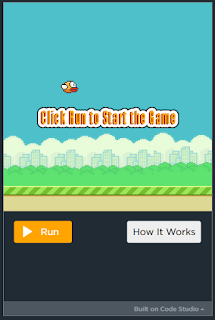
Using code.org, students can learn coding basics. I have been using this with my class during our STEAM sessions. Students work at their own pace through the tutorials.  When students are ready, they can have a go with the projects available on the site.  Each requires students to think creatively, problem solve and use algebraic thinking. When using this in my sessions, students made connections to the algebra learning we have been covering. Each time, they had to find the 'rule' to move their sprite.  Below is my attempt at making a 'Flappy Bird' game using code.org.

I'm glad I learnt have to add this to my blog as this is what my students are hoping to do.


Certificate for Venessa Davan
Hour of Code - Original Maze
Certificate for Venessa Davan
Hour of Code - Flappy Bird Edition


Scratch and Makey Makey
Using Makey Makey, Anna and I created our own musical performance. Students can share learning with whanau, by creating interactive displays using Makey Makey. Possibilities could include sharing their pepeha, creating stories, set of instructions, each one linking to a previously recorded voice sharing the matching information. 

Scratch

Using scratch, I have created the following animation. Students will be able to create animations, linked to our current learning. At the moment we can learning about the procedure of a powhiri. Students could create a short animation showing the order of proceedings of a powhiri.


Some of my other creations include:


Wednesday, 2 May 2018

Digital Fluency Intensive #1

Digital Fluency Intensive

My learning for the day included:


  • creating a collaborative doc, where students each add their learning, before sending it to another person to add more.
  • add-ons like change font, easy accents, read write, icons by nouns (for picture stories)
  • Creating posters using google docs
  • Sharing and saving google docs for ease of access
  • Use "convert' files in settings to convert handwritten sheets (taken as a picture) in a word document that can be edited.